Your work.
One schedule.
See task dates across projects.Keep deadlines beside meetings.Plan the day with the context.

CALENDAR FOR DESIGNERS
Plan design work, create meetings and join SIMTU voice or video calls. Bring tasks, personal events and saved design competitions into one calendar built around your working day.
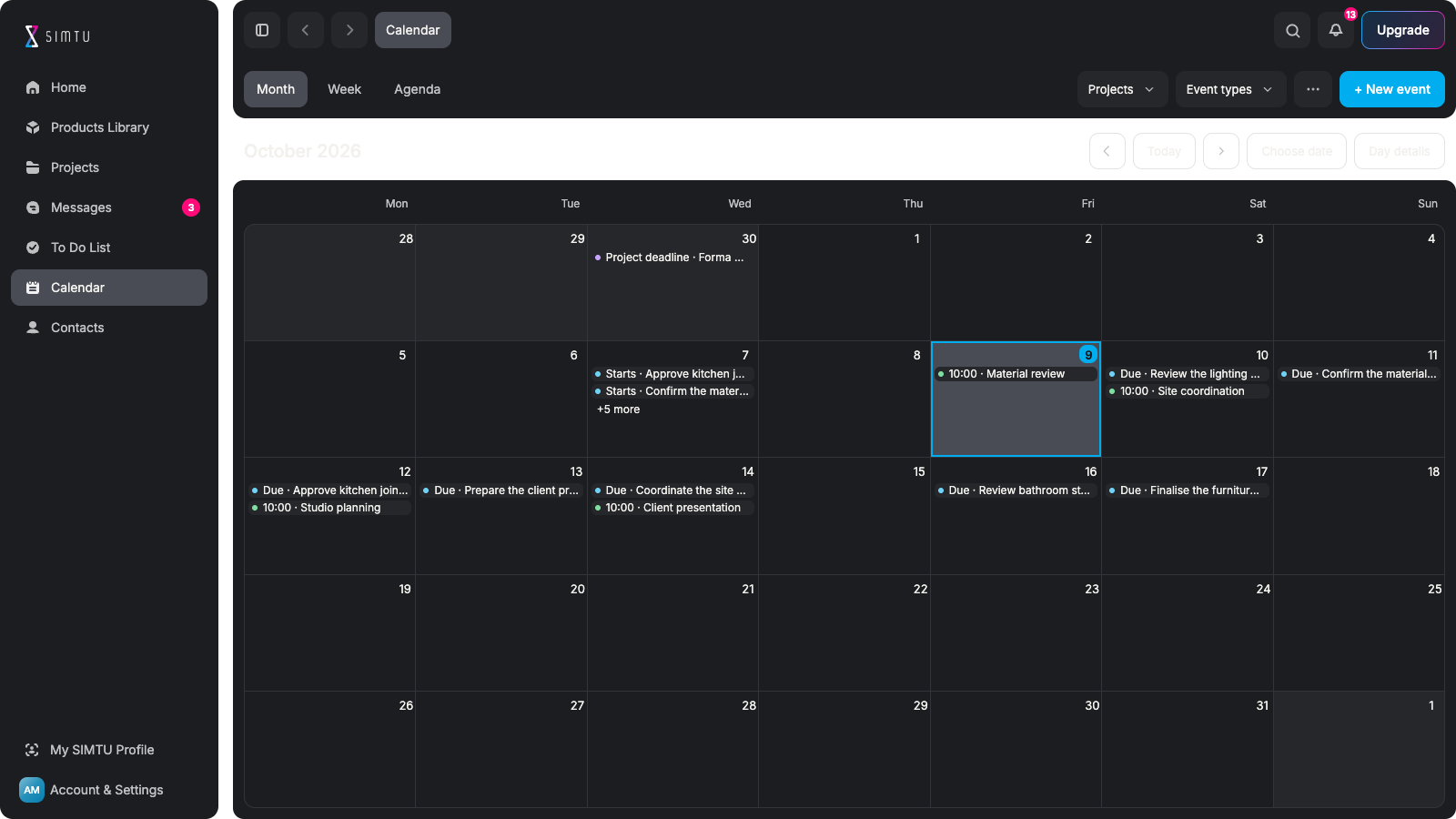
LESS RESCHEDULING. MORE TIME TOGETHER.
See task dates across projects.Keep deadlines beside meetings.Plan the day with the context.
Choose the time and participants.Add the project and location.Make room for a useful discussion.
Schedule a SIMTU call or video.Keep it in your working calendar.Join from the meeting details.
Plan a site visit or studio session.Add a timed or all-day event.Repeat regular commitments.
Save events published in SIMTU.Add competitions worth entering.Plan time beyond project deadlines.
Scan the month or plan the week.Read upcoming items as an agenda.Filter by project and event type.
YOUR SCHEDULE. CONNECTED.
See private and assigned task dates alongside project deadlines and relevant order milestones. Add your own commitments, then switch between Month, Week and Agenda to understand the time available for your work.
Plan your day in SIMTU ↗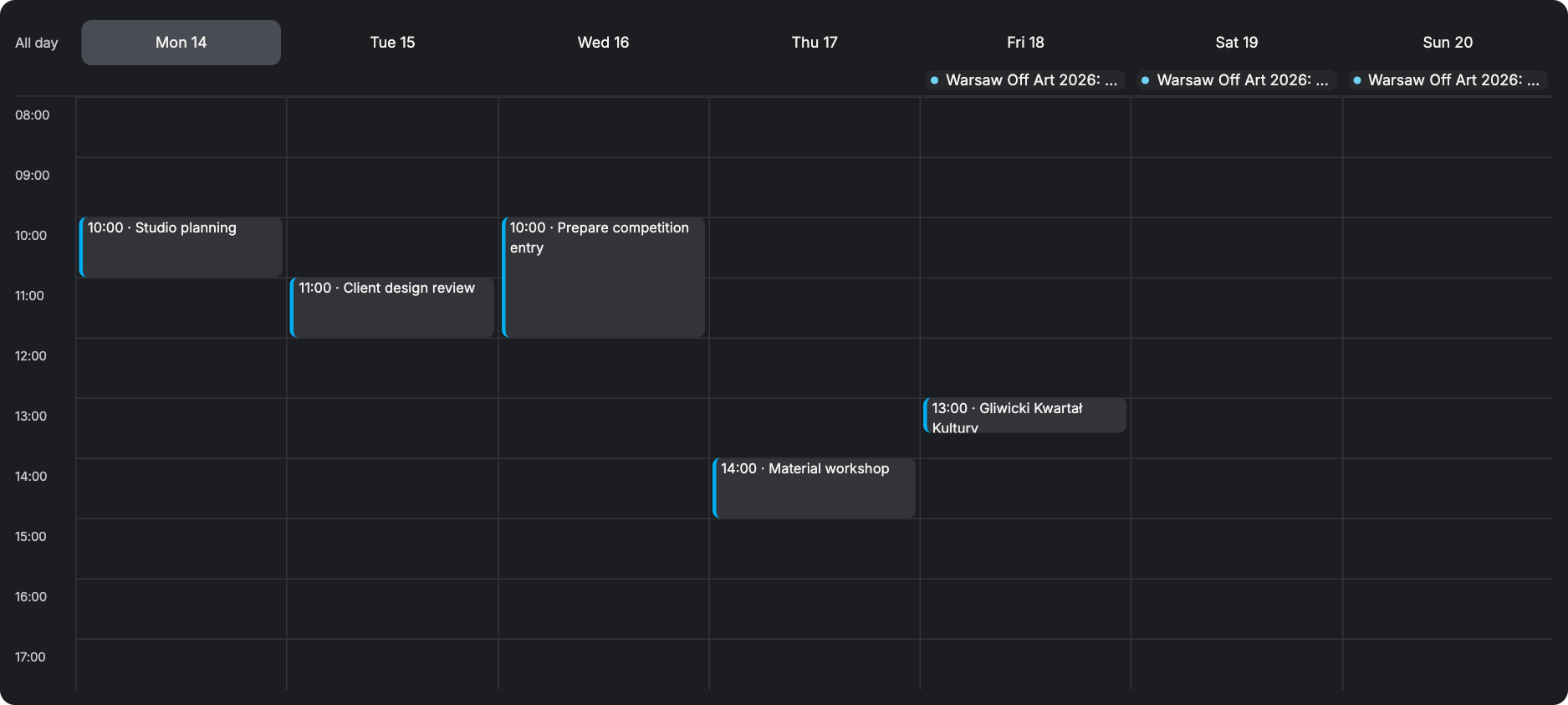
MAKE TIME TO TALK
Create a voice or video meeting with the relevant participants and project context. Open its calendar entry when it is time to join. Keep the appointment and the people involved together, without passing between disconnected tools.
Bring people together ↗YOUR PLANS. YOUR OWN SPACE.
Add a studio meeting, site visit or personal commitment directly to Calendar. Set a time or make it an all-day event. Keep a location, description and project context close, with repeat options for commitments that return.
Make room for your plans ↗MAKE ROOM FOR NEW OPPORTUNITIES
Find an event or competition in SIMTU and add it to your calendar. Keep it alongside your project work so you can plan time to attend or prepare an entry. Return to the organiser’s website for the official information.
Explore your next opportunity ↗Save an opportunity to your calendar.
PREPARED FOR A CONNECTED DAY
Know what is happening, who is involved and where to go next. Keep practical details with the time you set aside.
Recognise the task and project. Check the relevant deadline. Return to the source to update it.
Keep participants with the event. Choose a SIMTU call or video. Join when it is time to talk.
Choose a time or an all-day event. Keep the location close at hand. Repeat regular commitments.
Add a published design event. Keep competition dates in view. Read the organiser’s full details.
FROM A FULL SCHEDULE TO TIME WELL SPENT
Give tasks, meetings and new opportunities their place.
Bring the right people together when it matters.
Open your calendar. Review tasks and meetings. Filter to a project if needed. Find room for the next step.
Create a meeting or event. Choose its date and time. Add the useful context. Repeat it when appropriate.
Select the participants. Choose voice or video. Keep the project attached. Prepare for the discussion.
Browse SIMTU Home. Find events and competitions. Save the dates that matter. Check the official details.
Join the planned meeting. Review the next task. Open its original project. Keep the day moving.
See your task dates, project deadlines and relevant order milestones.Add your own meetings, site visits and personal events.Save design events and competitions published in SIMTU too.
Yes. Choose SIMTU call or SIMTU video when creating a meeting.Add the relevant participants and project context.Open the calendar entry to join when the meeting begins.
Yes. Set a start and end time, or choose an all-day event.Use repeat options for regular meetings and commitments.Keep a description and location with the event.
Find the published opportunity in SIMTU Home and add it to Calendar.Review the saved date alongside your other commitments.Check the organiser’s website for current rules and registration.
No. It shows your private tasks and project tasks assigned to you.Available entries depend on your project access.Edit source dates in the task, project or order they belong to.
Yes. Add a link for a meeting hosted outside SIMTU.This does not create the meeting with the external provider.It does not synchronise your SIMTU calendar with another calendar.