The right person.
Without the search.
Keep your working contacts together.Find a client, contractor or supplier.Spend less time retracing details.

CONTACTS FOR DESIGNERS
Keep clients, contractors, collaborators and suppliers close to your projects. Find the right person, remember the context and start the next conversation from one contact directory for your design studio.
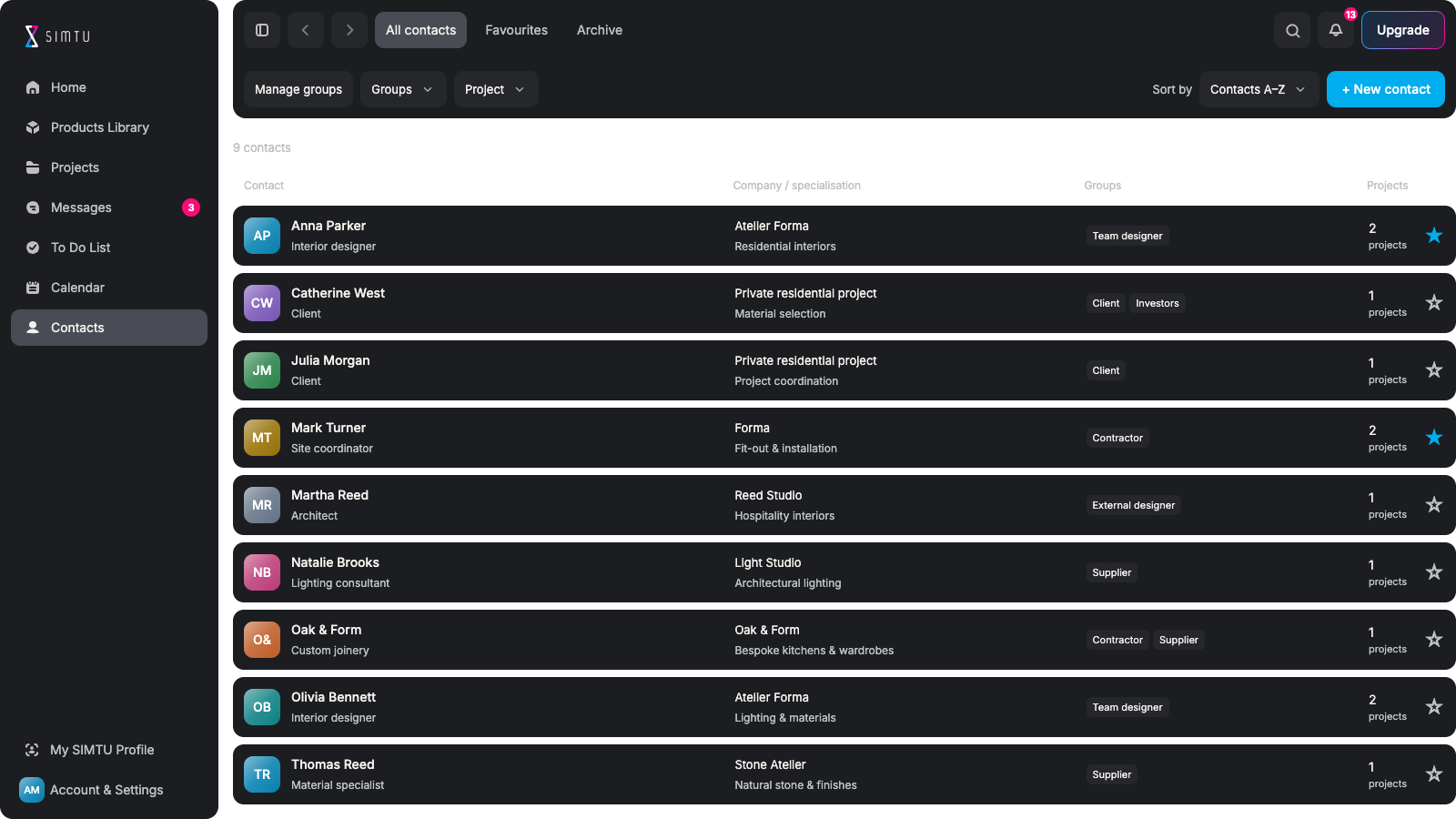
LESS SEARCHING. THE RIGHT CONNECTION.
Keep your working contacts together.Find a client, contractor or supplier.Spend less time retracing details.
See the role and company.Check professional specialisations.Know who to ask about the work.
Organise contacts by useful groups.Keep one person in several groups.Build a directory that fits your studio.
Link contacts to relevant projects.Filter to the people you need.Keep access permissions separate.
Keep internal notes with a contact.Add quotes and reference files.Pick up with the context in place.
Open email and phone details.Message connected SIMTU contacts.Keep frequent contacts in Favourites.
MORE THAN A NAME
Keep names, roles, specialisations and available contact details together. Open the contact panel to review the person or company without losing your place in the directory.
Build your contact book ↗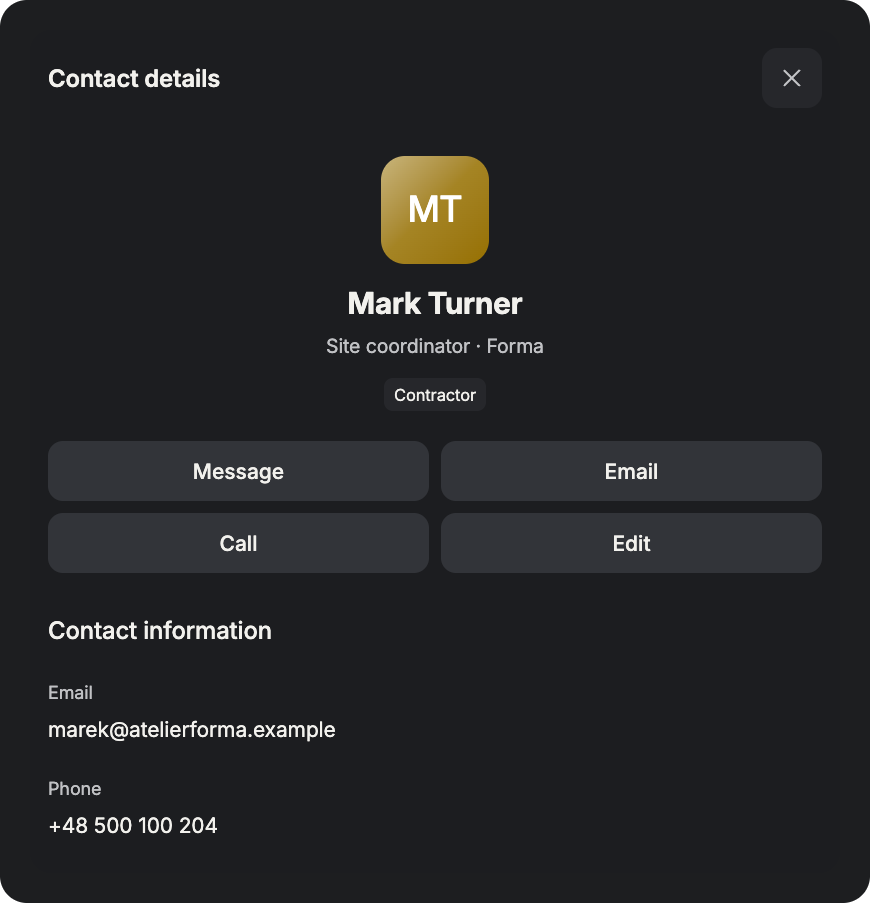
ORGANISE AROUND YOUR WORK
Use your own groups to organise clients, contractors and collaborators. Filter by project or keep frequent contacts in Favourites, so the person you need is easier to find when a question comes up.
Organise your network ↗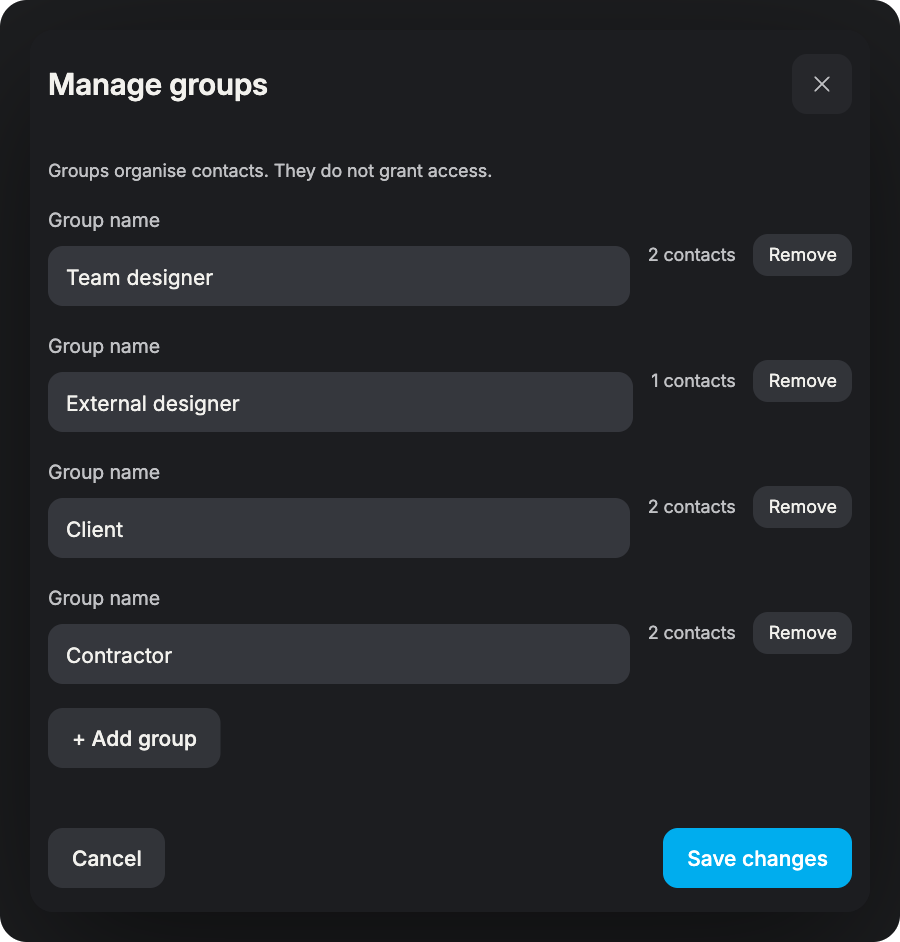
FROM FINDING TO TALKING
Narrow the directory to the project or group you need, then check the contact’s role before reaching out. Use email, phone or Messages for connected SIMTU contacts. Saving a contact does not grant project access.
Explore Messages ↗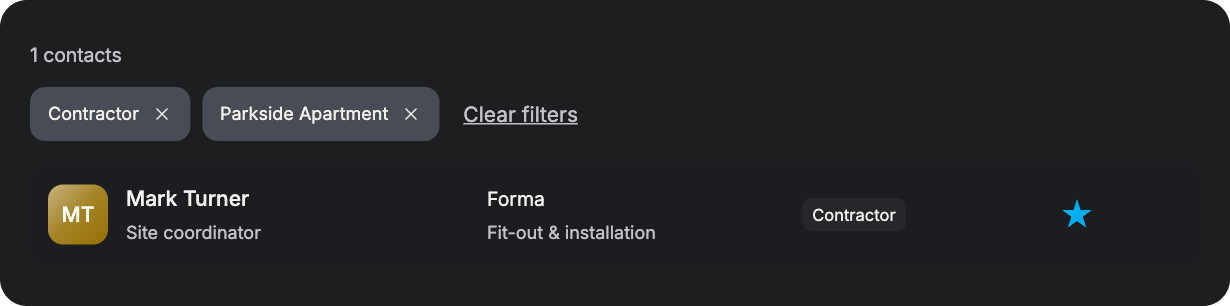
PREPARED FOR THE NEXT CONVERSATION
Keep professional details, project links and useful notes together. Know who to reach and what to discuss next.
See the role and company. Check the relevant specialisation. Choose the right contact method.
Add useful project connections. Organise contacts into groups. Keep invitations separate.
Write a note after a discussion. Keep reference documents close. Prepare for the next conversation.
Keep key contacts in Favourites. Filter your working directory. Archive and restore when needed.
FROM A SAVED CONTACT TO A USEFUL CONNECTION
Bring your professional network into one place.
Keep useful context ready for the next conversation.
Add a person or company. Record the useful details. Keep their role in view. Build your working network.
Choose the relevant groups. Link the project if useful. Mark frequent contacts. Keep the directory focused.
Add an internal note. Attach a useful document. Record what matters next. Prepare for future questions.
Filter to the project. Check the contact details. Choose email, phone or chat. Start with the right context.
Update details as they change. Return after the next meeting. Archive inactive contacts. Restore them when needed.
Yes. Save a person or company without a connected SIMTU account.Keep their email, phone number and useful professional details.In-app Messages requires a connected SIMTU contact.
Yes. Create contact groups that fit the way your studio works.A contact can belong to more than one group.Use groups and project filters to narrow the directory.
No. A project link records context in your contact directory.It does not send an invitation or grant project access.Manage participation and permissions separately in the project.
Yes. Add internal notes and supporting files to the contact record.Keep quotes, catalogues and reference documents close.Internal notes are for your studio, not visible to the contact.
Open the contact and choose an available contact action.Use email, phone or Messages for a connected SIMTU contact.Saving a contact does not change communication permissions.
Archiving helps you keep the active directory focused.It does not remove conversations or project membership.You can restore the contact when you need them again.