SIMTU
Start for free
EN

MESSAGES FOR DESIGNERS

Keep the conversation.
Keep the context.

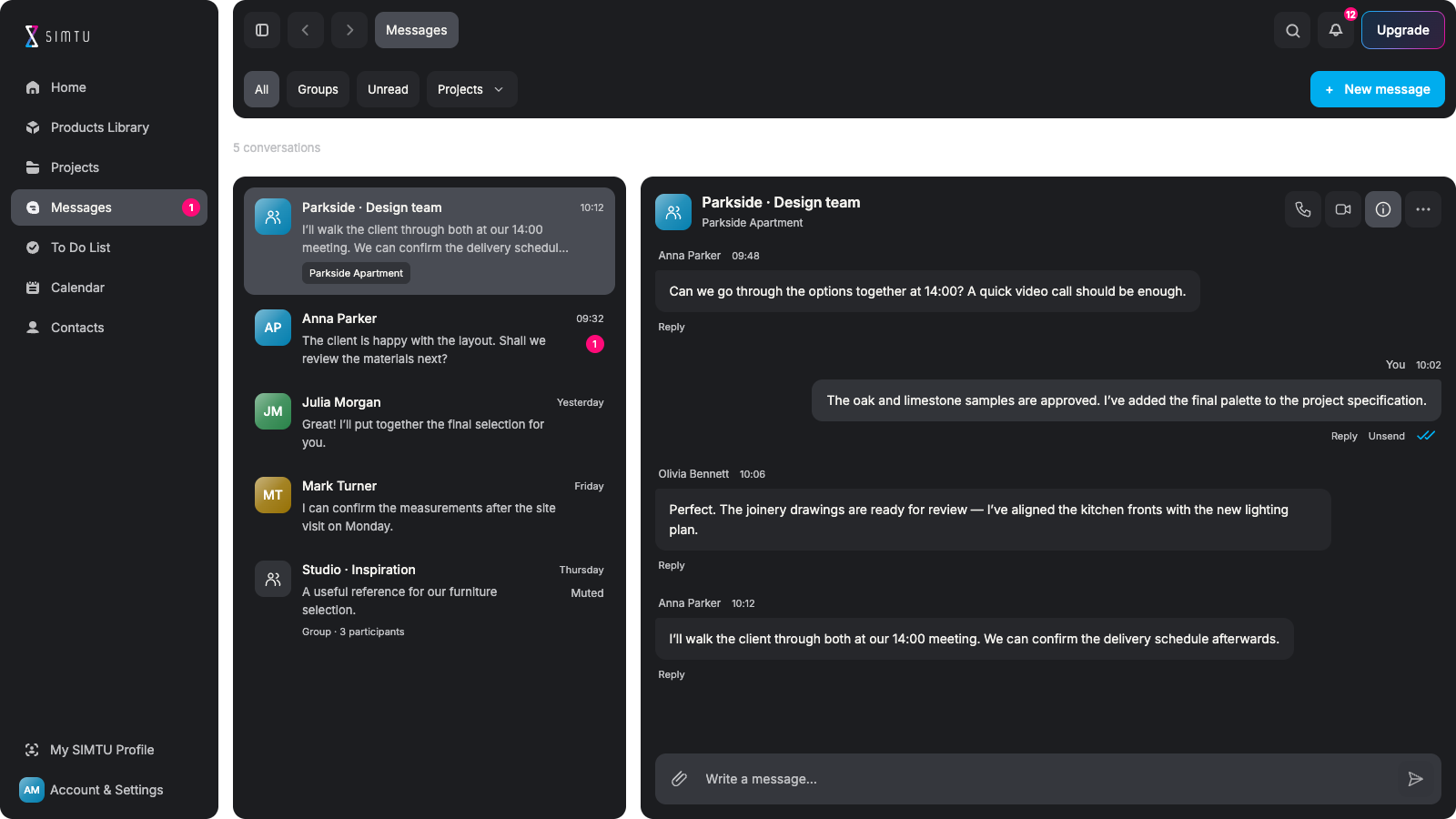
Discuss design decisions, share reference material and return to the conversation behind it. SIMTU Messages brings people and project context into the same workspace.

Messages — SIMTU application screen

LESS SEARCHING. CLEARER CONVERSATIONS.

Project communication.
Without the loose ends.

Your team.
Subcontractors too.

Include subcontractors in the chat.Discuss drawings and site questions.Keep the right people involved.

Ask the brand.
Get clarity.

Message the manufacturer directly.Ask about a product or your order.Keep the answer with the question.

Project context.
Always close.

Connect a chat to a project.Recognise the work at a glance.Pick up where you left off.

Shared material.
Easy to find.

Browse Media, Files and Links.Find the reference you need.Return to its original message.

Clear replies.
Fewer doubts.

Reply to a specific message.Show which point you mean.Keep parallel topics clear.

Client feedback.
In context.

Discuss the client’s questions.Keep references with the replies.Revisit the agreed direction.

PROJECT CONVERSATIONS. IN CONTEXT.

Project messages.
With the context attached.

Direct and group conversations

Talk to one person or bring the relevant people into a group. Associate the conversation with a project so it is easier to recognise the work behind the discussion and return to it later.

Compare communication plans ↗
OB
Olivia BennettParkside Apartment
The lighting plan is ready for review.
Lighting plan.pdfProject file · 2.4 MB
Let’s review it together at 14:00.
Perfect. See you then.

FIND THE MATERIAL, NOT JUST THE MESSAGE

Shared files and links.
Easy to find again.

Media, Files and Links

Return to the images, documents and links shared in a conversation through its details panel. Open the source message when you need the explanation that came with the material.

Bring your team together ↗
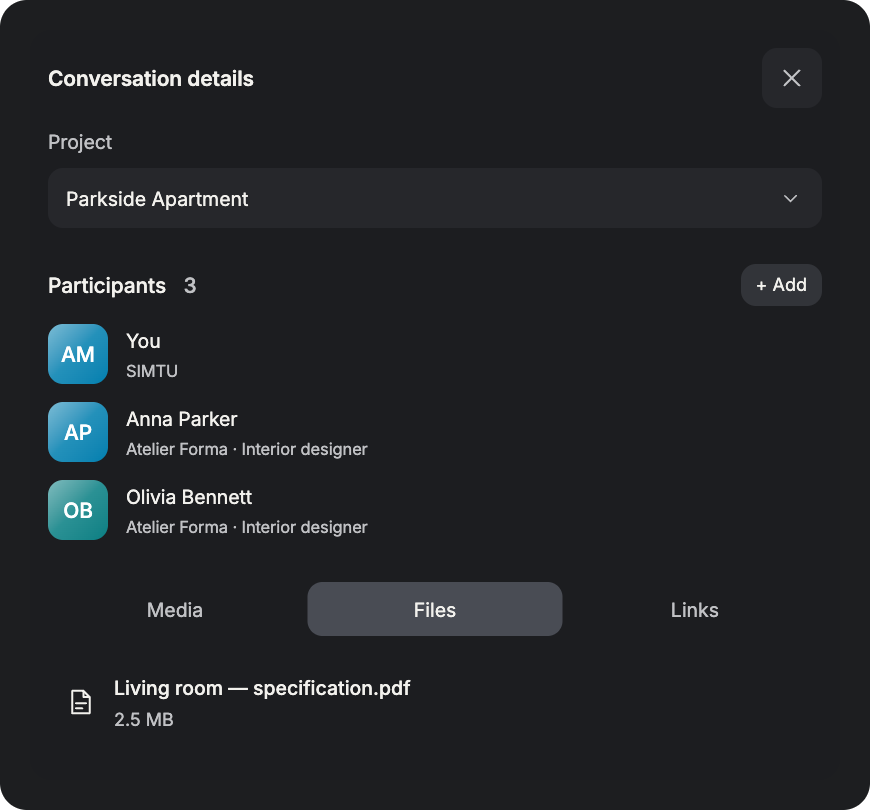
Media, Files and Links — SIMTU application

MAKE THE REFERENCE CLEAR

A reply with context.
Keep the meaning clear.

Keep the discussion connected

Reply to a specific message when several topics are being discussed. For supplier questions, use the conversation attached to the order so the product scope and order reference remain clear.

Explore Projects ↗
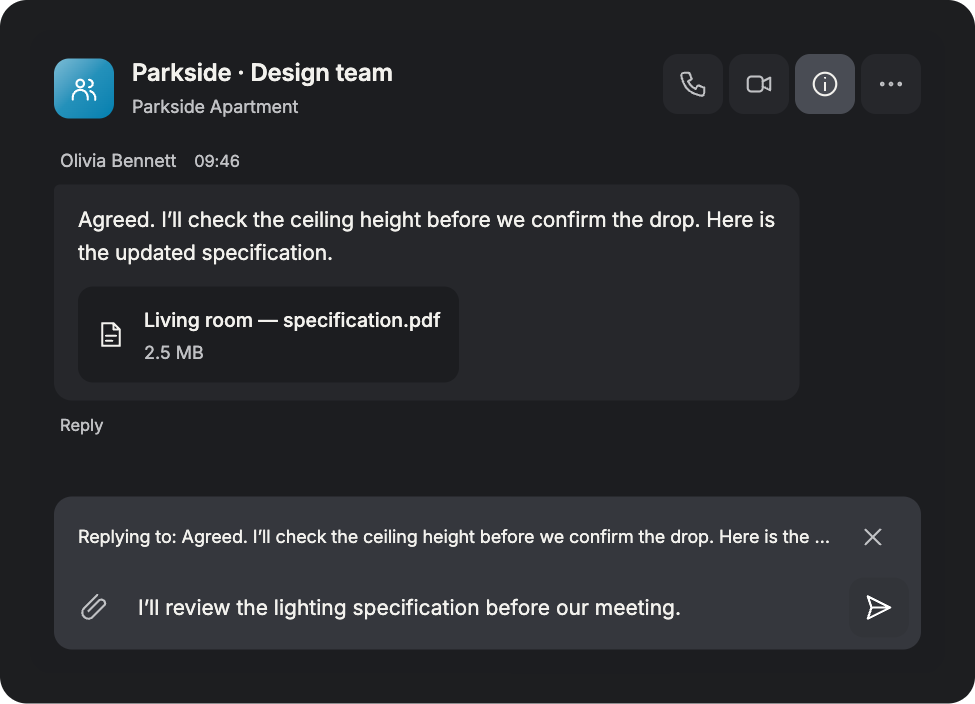
Keep the discussion connected — SIMTU application

WRITE. CALL. TALK FACE TO FACE.

Project chat and calls.
Choose how to connect.

Messages, voice and video in SIMTU

Send a message when a short update is enough. Start a voice call to clarify a question, or choose video to talk face to face. Reach the conversation’s participants from the same workspace, with your written discussion close at hand.

Compare communication plans ↗
Messages Anna Parker

Can we review the lighting plan?

Yes, let’s talk it through.

Write a message… ↗
Voice call
AP
Anna ParkerReady when you are
Start call
Video call
AM
You · Camera on
Start call

PREPARED FOR REAL PROJECT CONVERSATIONS

The people. The reference.
The meaning behind it.

Keep the details that make a conversation useful. Find the person, the project and the reference behind each reply.

Conversations

AP
Anna ParkerLet’s review the lighting plan.
JM
Julia MorganParkside Apartment · Client

Find the right conversation

Recognise people at a glance. Open the discussion you need. Continue without starting over.

Parkside · Design team

Parkside Apartment
Anna ParkerDesigner
Julia MorganClient

Know who is involved

Keep participants in view. Recognise the linked project. Give the discussion a reference.

Conversation details

MediaFilesLinks
Lighting plan.pdfShared by Anna Parker
Material palette.pdfOpen source message ↗

Recover the reference

Browse the shared documents. Find material without scrolling. Go back to its source message.

Reply to Julia Morgan

Could we use the blue finish?
Yes, let’s compare it with the material palette.
Anna Parker · 10:12

Reply to the right point

Keep the original question close. Make your response unambiguous. Follow the thread of a decision.

FROM FIRST QUESTION TO A CLEAR NEXT STEP

Better conversations.
Clearer design decisions.

Bring people and references into the conversation.
Carry the agreed direction back into your project.

  1. 01

    Bring people together

    Talk with your design team. Include the subcontractor. Bring in the client’s feedback. Keep the right people involved.

  2. 02

    Give the context

    Link the relevant project. Share a drawing or reference. Explain the site question. Make the next reply useful.

  3. 03

    Ask the manufacturer

    Contact the brand directly. Ask about a product detail. Clarify an order question. Keep the answer in context.

  4. 04

    Find it again

    Open conversation details. Browse Media, Files or Links. Locate the shared reference. Return to its source message.

  5. 05

    Move work forward

    Revisit the agreed direction. Open the connected project. Update the relevant task. Keep the next step explicit.

BEFORE YOU START

Messages.
Your questions, answered.

Compare plans and availability ↗
Can I organise conversations by project?

Yes. Direct and group conversations can carry project context.A project reference helps you recognise the work behind a discussion.It does not automatically add people or grant access to that project.

Can I discuss a project with my client?

Yes. Add your client to the project so they can join the conversation.Clients use their own web panel for free, with no paid subscription.They do not occupy a designer seat in your organisation.

Where can I find shared images, files and links?

Open conversation details and choose Media, Files or Links.Find a shared reference without reading the entire conversation again.Return to its source message when you need the original explanation.

How do replies keep a discussion clear?

Reply to a specific message to show exactly which point you mean.This keeps your response connected to the original question or reference.It is especially useful when a group is discussing several topics.

Do message attachments use cloud storage?

Yes. Images and files uploaded to Messages use SIMTU cloud storage.Allow for attachments within the storage available in your plan.Chat attachments do not automatically appear in Project Files.

Are Messages available on the Free designer plan?

Messages is locked in a designer’s personal Free workspace.A paid host-assigned designer seat enables access in that host’s workspace.Clients added to a project use their web panel for free, without a seat.

SIMTU. Simple to use.

Bring your next project
to life with SIMTU.

Start for free