Several projects.
One task list.
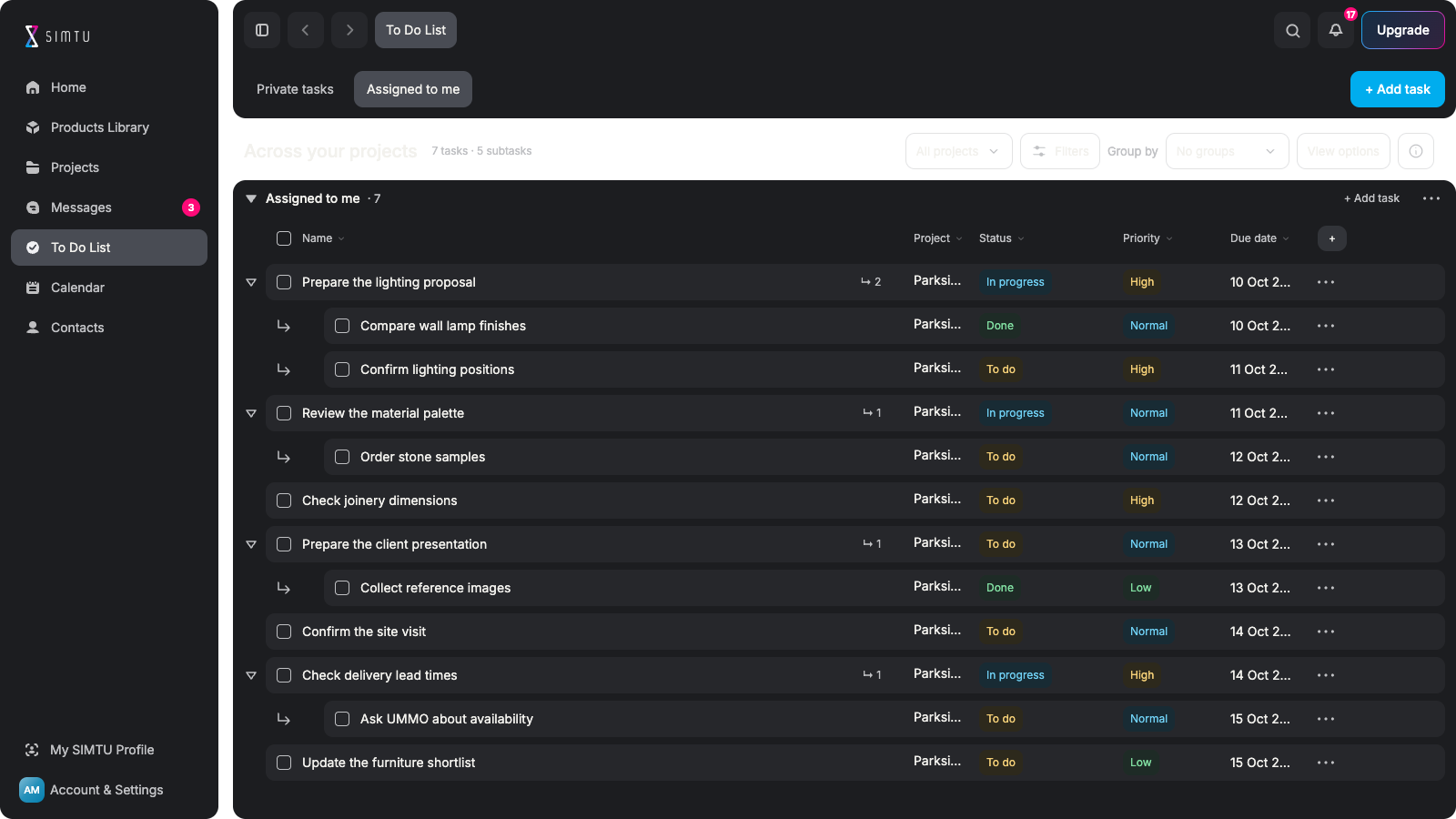
See project work assigned to you.Review it without switching projects.Start with a clear view of your day.

TO DO LIST FOR DESIGNERS
See your responsibilities across design projects without opening each project in turn. Keep personal reminders separate from the work you share with the team.
LESS SWITCHING. MORE GETTING DONE.
See project work assigned to you.Review it without switching projects.Start with a clear view of your day.
Capture the things you need to do.Keep early preparation private.Share only when the work is ready.
Check due dates and priorities.Spot the tasks needing attention.Decide what to work on next.
Keep the project and room close.Recognise what the task belongs to.Return to the wider project.
Add a reminder without a project.Capture the thought while it is fresh.Add context when it becomes useful.
Filter and group your task list.Focus on one project or status.Keep the next action in view.
YOUR WORK ACROSS PROJECTS
Bring together the shared project tasks assigned to you. Review status, priority and dates with the project and room visible, then narrow the list when one job needs your attention.
Organise your next steps ↗
PRIVATE DOES NOT MEAN DISCONNECTED
Capture a reminder before deciding where it belongs. Keep it unassigned or connect it to a project and room without sharing it with the team. Your preparation stays separate from shared responsibilities.
Start your private task list ↗
SHARE WHEN THE WORK IS READY
When a private reminder becomes work for the project, convert it deliberately. Linking a task to a project and making it a shared project task are different actions, keeping ownership and visibility clear.
Explore Projects ↗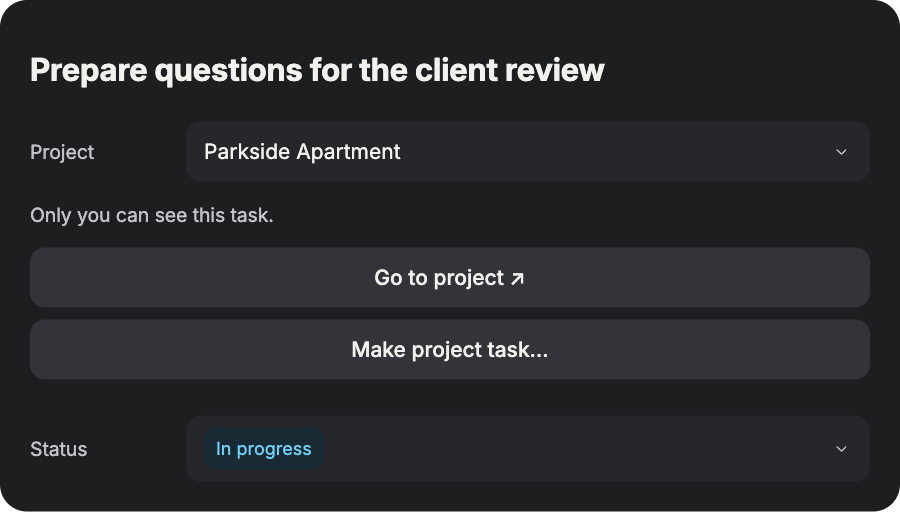
PREPARED FOR YOUR WORKING DAY
Keep your responsibilities and private preparation easy to tell apart. See the context you need before you start.
Review work assigned to you. Keep different projects in view. Know where to focus next.
Write down personal reminders. Add project context if useful. Keep them visible only to you.
Check the project and room. Read the priority and due date. Act with the details in view.
Prepare the next step privately. Convert it when ready to share. Keep project ownership clear.
FROM A BUSY DAY TO A CLEAR NEXT STEP
Bring your responsibilities into one focused view.
Turn private preparation into a clear next action.
Open Assigned to me. See work across projects. Check dates and priorities. Choose your next focus.
Add a private reminder. Write a clear next action. Leave the project unassigned. Keep the idea from slipping.
Select a project if useful. Add the relevant room. Set the date and priority. Keep private work private.
Open the task details. Check what needs doing. Update progress as you work. Return to the project if needed.
Review your private task. Choose to convert it. Make it shared project work. Keep the team’s next step clear.
No. Assigned to me brings together project tasks assigned to you.Each task remains connected to its original project.You do not need to maintain a second copy of the same work.
Private tasks are visible only to you, not to the project team.You can add a project and room without changing that visibility.Convert a private task explicitly when it should become shared work.
Yes. Add an Unassigned private task to capture a reminder straight away.You do not need to choose a project before writing it down.Add project and room context later if it becomes useful.
Review due dates, priorities and statuses across your assigned work.Use filters and grouping to narrow the list to the work you need.Open a task’s details or return to its project for more context.
No. Project context and shared visibility are different things.A private reminder can belong to a project and still stay private.Use the explicit conversion action to make it a project task.
These views are available in Management inside a project.The global To Do List focuses on assigned work and private reminders.Open Projects when you need to plan the wider team’s work.