Every amount.
A traceable source.
Connect commission to an order.Keep the project reference close.Understand where value comes from.

MY SIMTU WALLET FOR DESIGNERS
Track commissions from project purchases.
See pending amounts and available funds.
Keep payouts and settlement records together.
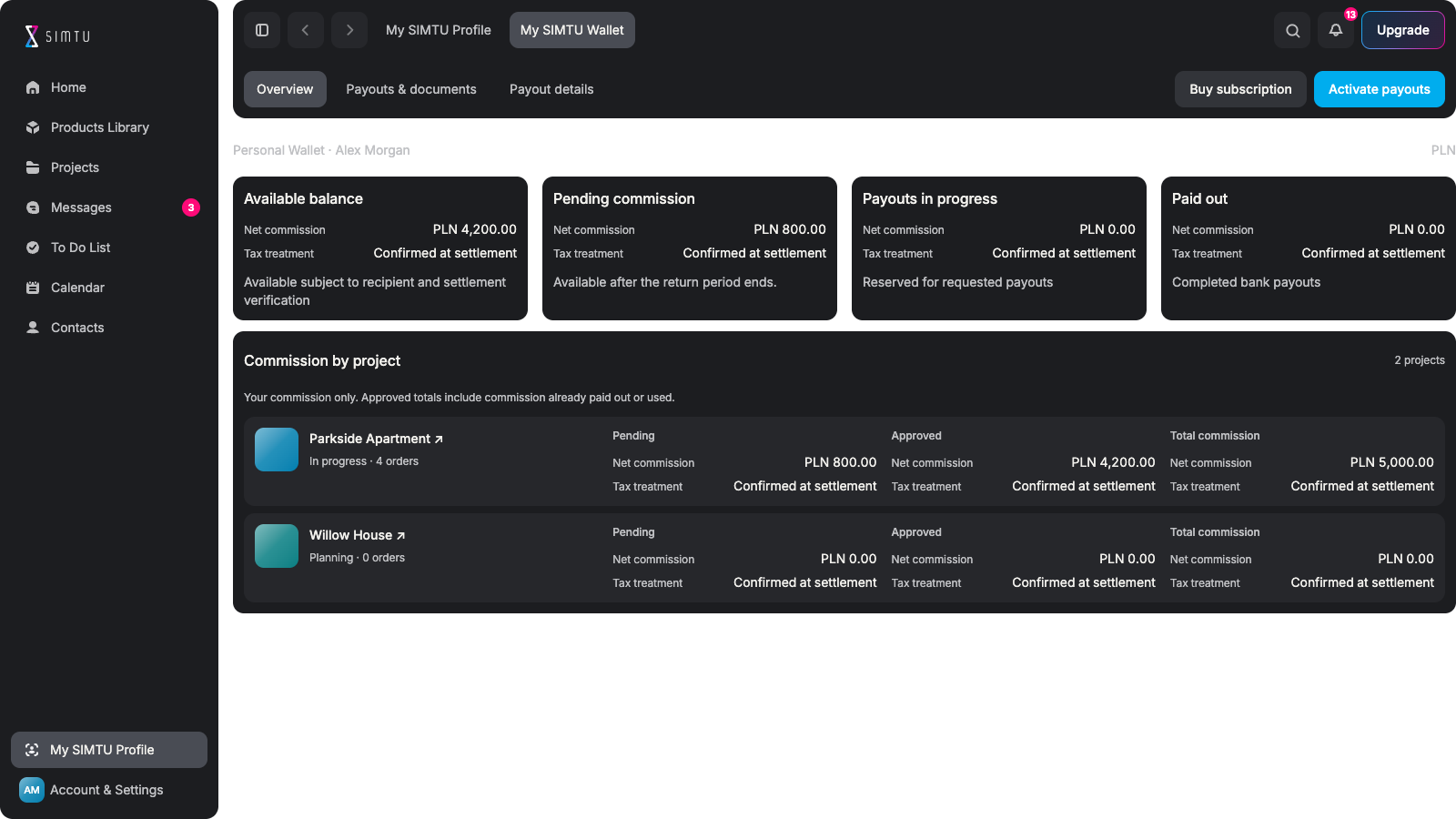
LESS GUESSWORK. CLEARER SETTLEMENTS.
Connect commission to an order.Keep the project reference close.Understand where value comes from.
See what is still awaiting release.Check delivery and return conditions.Plan around available funds.
Share part of your pool with clients.Keep the base product price unchanged.Keep the remaining commission.
Keep recipient information private.Check bank and authorisation details.Follow the verification requirements.
Review the applicable document.Check the amount before requesting.Keep the financial context together.
Distinguish requested from paid.Track the progress of your request.Keep reserved funds separate.
CONNECTED TO PROJECT PURCHASES
Commission applies only to purchases of products from the SIMTU partner catalogue. It is calculated on the product’s net price, excluding transport. Follow each record back to its project and order. Selecting a product or downloading a model does not generate commission.
Explore project orders ↗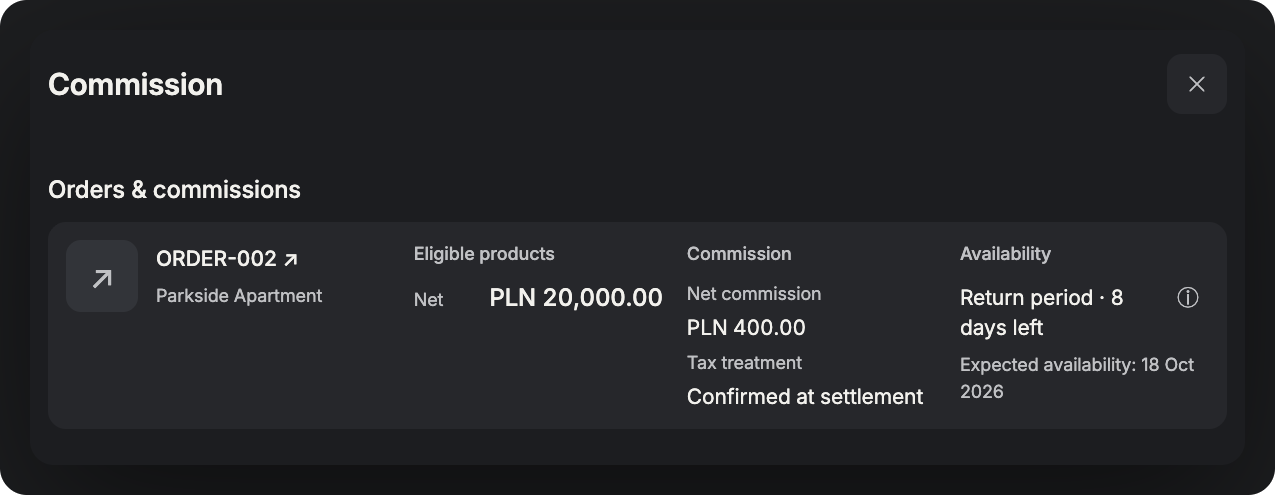
KNOW WHAT IS AVAILABLE
Commission stays pending until delivery is confirmed, the applicable return period has ended and reported returns are resolved. A returned product earns no commission, so its commission is removed. Client payment alone does not make funds available for withdrawal.
Compare plans ↗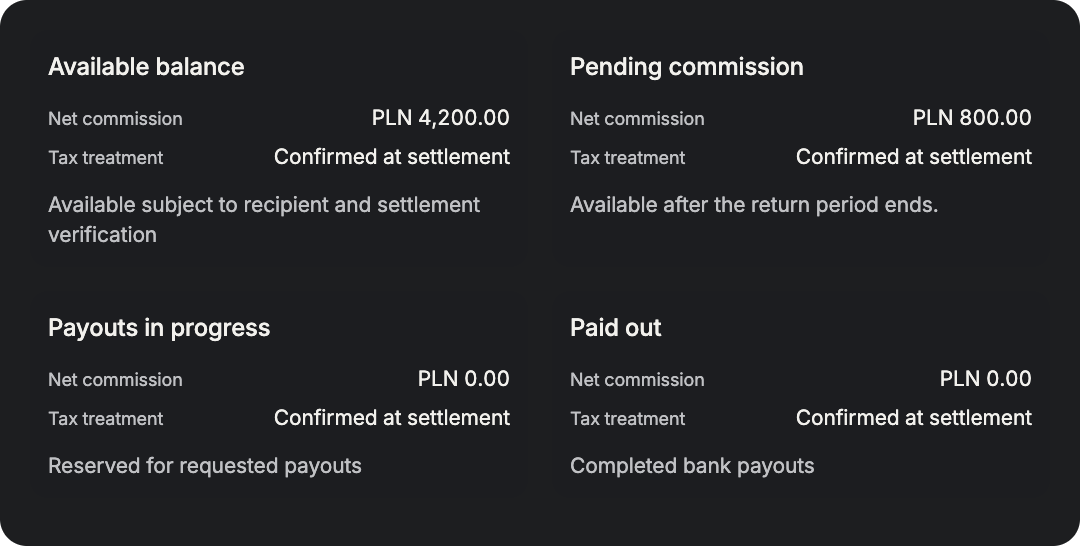
YOUR COMMISSION. YOUR CLIENT’S SAVINGS.
Split the commission pool for each product before sending it to your client for approval. The split cannot be changed afterwards. The client’s share is called a “discount”. The base product price stays unchanged, and both shares come from the same net-price commission pool.
Build your profile ↗Base price unchanged · Transport excluded
Illustrative split, fixed before client approval
YOUR PRIVATE SETTLEMENT WORKSPACE
Wallet is your private record of remuneration owed by SIMTU. Payouts require an invoice and at least PLN 1,000 net in available commission. Review recipient and bank details, then follow your request. Below the threshold, funds remain frozen and cannot be withdrawn.
Start with SIMTU ↗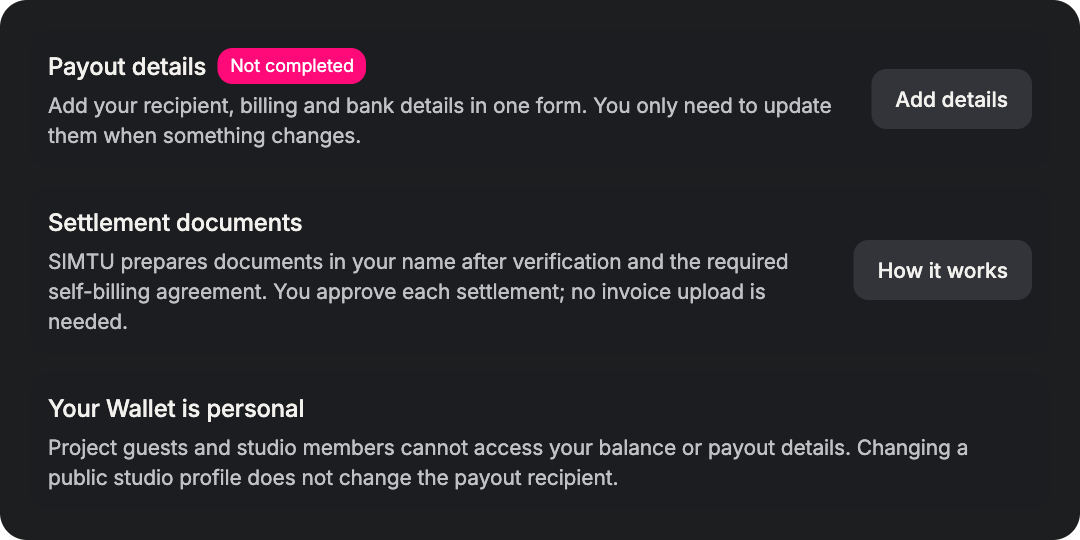
FROM PROJECT PURCHASE TO COMMISSION PAYOUT
Follow the order, check availability and review the settlement.
Request a payout when the required conditions are met.
Link the qualifying purchase. Keep its project reference. Check the commission record. Selection alone is not enough.
Wait for confirmed delivery. Check the withdrawal period. Allow for split deliveries. Review any reported return.
Separate pending amounts. Review available commission. Keep reserved funds apart. Do not rely on dates alone.
Verify recipient information. Check required authorisations. Review the settlement details. Approve where required.
Meet the bank payout minimum. Submit the payout request. Follow its recorded status. Wait for transfer confirmation.
Only purchases of products from the SIMTU partner catalogue.The pool is based on the net product price, excluding transport.A selection or model download does not generate commission.
No. It is the client’s share of one commission pool.At PLN 1,000 net, a 5% pool is PLN 50: for example, PLN 30 + PLN 20.The base price stays unchanged. Commission is not recalculated.
Set the commission split separately for each product.Do this before sending the product to your client for approval.The split cannot be changed afterwards.
After confirmed delivery and the applicable return period.Any reported return must be resolved before release.Returned products earn no commission. Their commission is removed.
An invoice and at least PLN 1,000 net in available commission.Recipient and bank details must meet the verification requirements.Review the settlement and follow the payout request status.
No. The PLN 1,000 net minimum still applies.Below it, funds remain frozen and cannot be withdrawn.You can return to SIMTU. Leaving does not waive the threshold.